
The best free AI image generators for bloggers in 2026 are Google Gemini, ChatGPT, Canva, Adobe Firefly, Microsoft Copilot, Leonardo AI, Ideogram, and Perchance. For most bloggers, Gemini is the easiest starting point thanks to its practical free allowance. ChatGPT and Ideogram are the stronger picks when your image needs readable text, and Canva is best when you want the image inside a ready-made blog graphic.
Free plans changed a lot this year. Limits, watermarks and licensing rules now differ from tool to tool, and some tools no longer publish a number at all. This guide compares eight options on what matters for a blog, so you can choose one before you burn a day of credits.
Quick answer
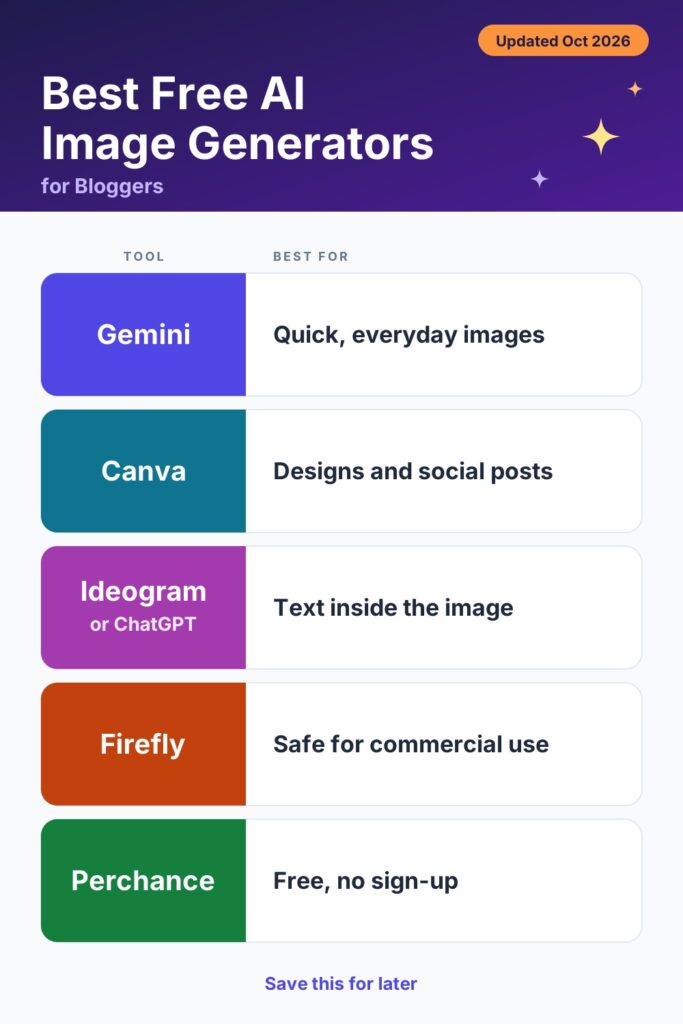
- Best overall for bloggers: Google Gemini
- Best for text on headers and thumbnails: Ideogram or ChatGPT
- Best for finished blog graphics: Canva
- Lowest licensing worry: Adobe Firefly
- Best with no sign-up: Perchance
Limits and terms below are as published or reported on October 30, 2026, and they change often.
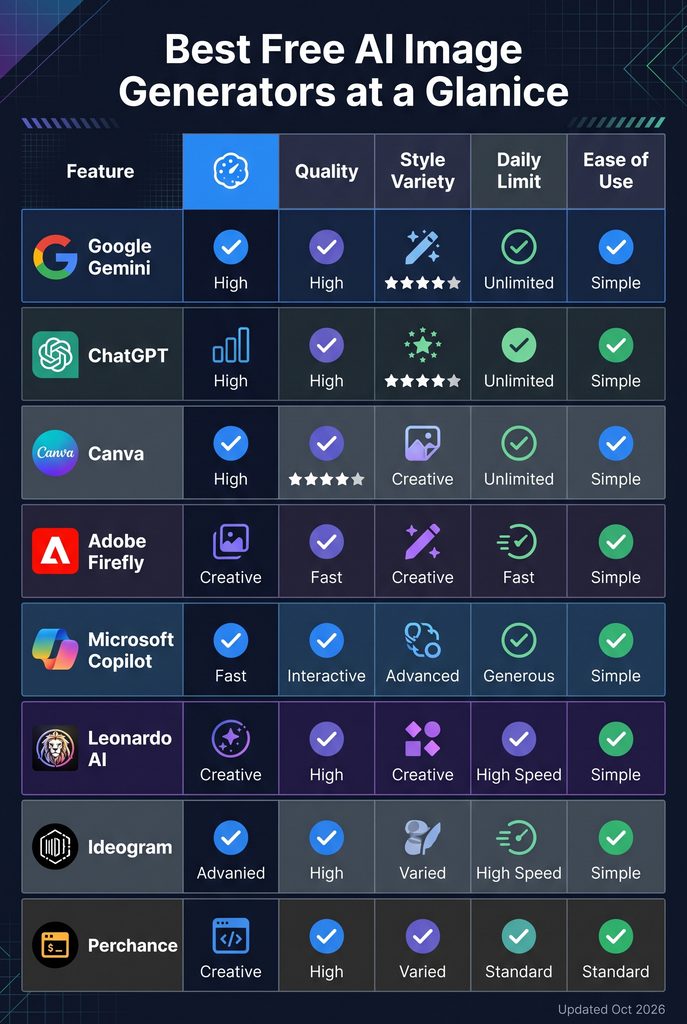
Best Free AI Image Generators at a Glance
| Tool | Free allowance (published or reported) | Visible watermark on free | Commercial use on free | Best for bloggers |
| Google Gemini | Daily quota; Google no longer publishes acount for the app | Reports conflict; check each export | Check Google’s terms | Photo-style featured images, quick edits |
| ChatGPT | “Limited”; OpenAI publishes no count, and reports range from 2–3 to 20+ a day | None reported; invisible metadata | Allowed under OpenAI’s terms | Accurate text, edits by chat |
| Canva | Limited monthly AI allowance shared across AI tools; counts vary by source | None reported | Within Canva’s terms | Ready-to-publish blog graphics |
| Adobe Firefly | Daily generations; count not published | None reported on free | Adobe says Firefly model outputs are commercially safe; partner models differ | Lowest licensing worry |
| Microsoft Copilot / Image Creator | Fast “boosts,” then a slower queue; reset period reported as daily or weekly | Reports conflict | Disputed; many guides say personal use only | Volume and drafts |
| Leonardo AI | 150 tokens a day, no rollover | None reported | Sources conflict; free outputs are public | Illustration styles, model choice |
| Ideogram | Weekly credits that have changed several times | None reported | Free outputs are public; check terms | Text and typography |
| Perchance | No published daily cap, no login | None reported | No clear license | Unlimited drafts |
Best Free AI Image Generators for Bloggers: 8 Tools Compared
1. Google Gemini
- Best for: Photo-style featured images and quick edits
- Price: Free. Google’s paid AI plans start around $7.99/month (Plus) and $19.99/month (Pro)
- Devices: Web, Android, iOS
Free Gemini accounts generate images with Nano Banana 2 . The newer Nano Banana 2.1, released on October 6, 2026, is listed as a Google AI plan feature, so free users stay on the earlier model .
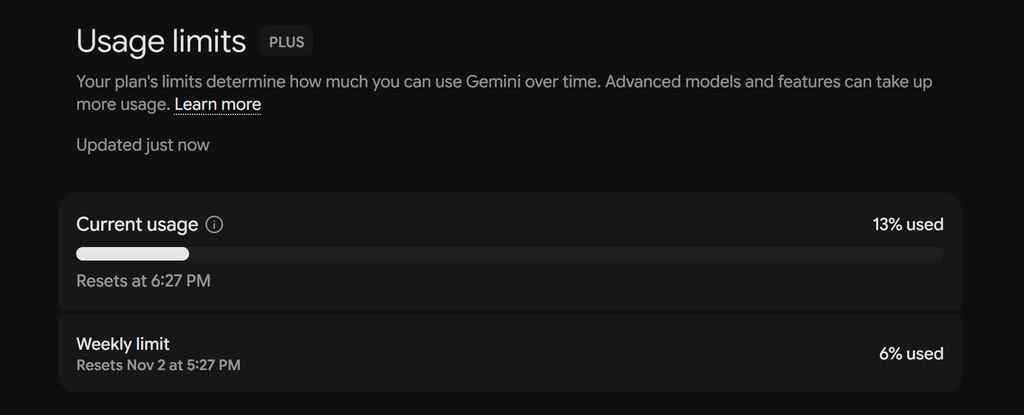
The free limit is the part to watch. An earlier Google help page cited about 20 images a day, but Google no longer publishes a figure for the Gemini app, and the app shows a usage meter instead . The only free count we found in published guides is 25 images per 24 hours in Google’s AI Mode in Search . Since the cap is unpredictable, write your prompts first and generate in batches.
Pros
- Free with a Google account
- Reviewers often single out its photo-style results and image edits
- Works on web and mobile
Cons
- No fixed free image count
- The newest model sits behind a paid plan
- Watermark and labeling rules vary, so check every export
Who it’s best for: Bloggers who need regular featured images and want one free tool to start with.
2. ChatGPT
- Best for: Prompt accuracy, readable text and edits by chat
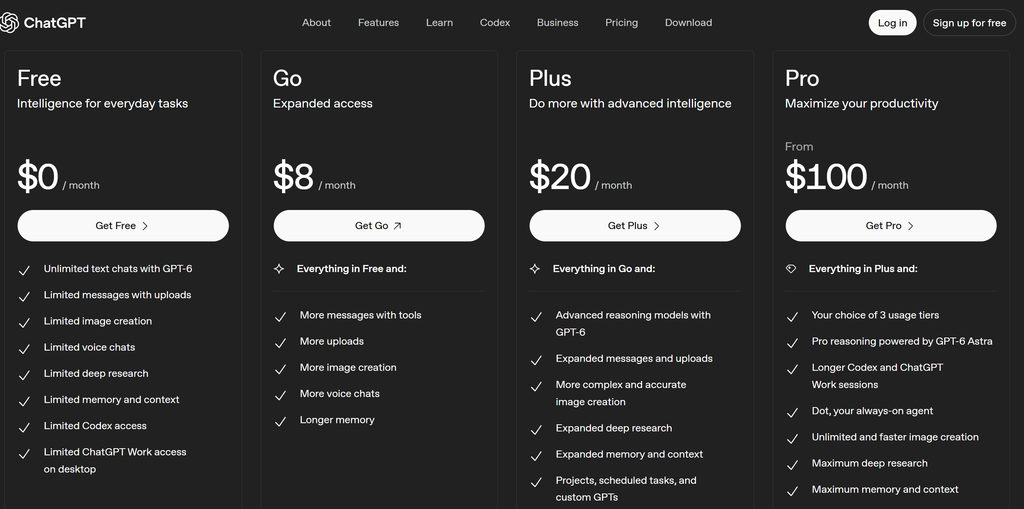
- Price: Free. Paid plans include Go (about $8/month) and Plus (about $20/month)
- Devices: Web, desktop, Android, iOS
ChatGPT‘s image model is ChatGPT Images 2.5, released on September 8, 2026 . You describe the image in chat, then ask for changes in plain language, such as “make the background simpler.” That back-and-forth saves credits because you edit instead of starting over.
OpenAI does not publish a free image count. Its pricing page describes free image creation only as limited. Reports vary widely: older guides say two or three images a day, while one October 2026 test reported 23 images in a single day without hitting a cap . When you do hit it, the app shows a time for when you can generate again.
Pros
- Strong prompt accuracy and text rendering, according to reviewers
- Easy follow-up edits in the same chat
- Available on every plan, free included
Cons
- Hidden, changing free cap
- Can lock you out for hours once the cap hits
- Best results can still need a second attempt
Who it’s best for: Bloggers who make a few polished images a week, such as headers with a title on them.
3. Canva
- Best for: Finished blog graphics, not just raw images
- Price: Free. Canva Pro starts around $15/month, less if billed annually
- Devices: Web, desktop, Android, iOS
Canva puts text-to-image tools inside its design editor, so you can generate a picture and drop it straight into a featured-image template, a Pinterest pin or a social post. Canva’s higher-quality generator, Dream Lab, is reported to run on Leonardo’s Phoenix model, since Canva owns Leonardo .
The free allowance is small and shared. Canva‘s help center says Free accounts get limited monthly access to its premium AI tools. Published numbers differ by source, from roughly 20 to 50 uses a month . Image generation shares that pool with other AI features, so it can disappear quickly.
Pros
- Generate, resize and publish in one place
- Templates for featured images and social posts
- Friendly for beginners
Cons
- Small, shared monthly AI allowance
- Less control over the image model than dedicated tools
- Terms and allowances differ by plan
Who it’s best for: Beginner bloggers who want a finished graphic, not a standalone image file.
4. Adobe Firefly
- Best for: Bloggers who worry most about licensing
- Price: Free. Firefly Standard is $9.99/month for 2,000 credits
- Devices: Web, Android, iOS, plus Adobe apps
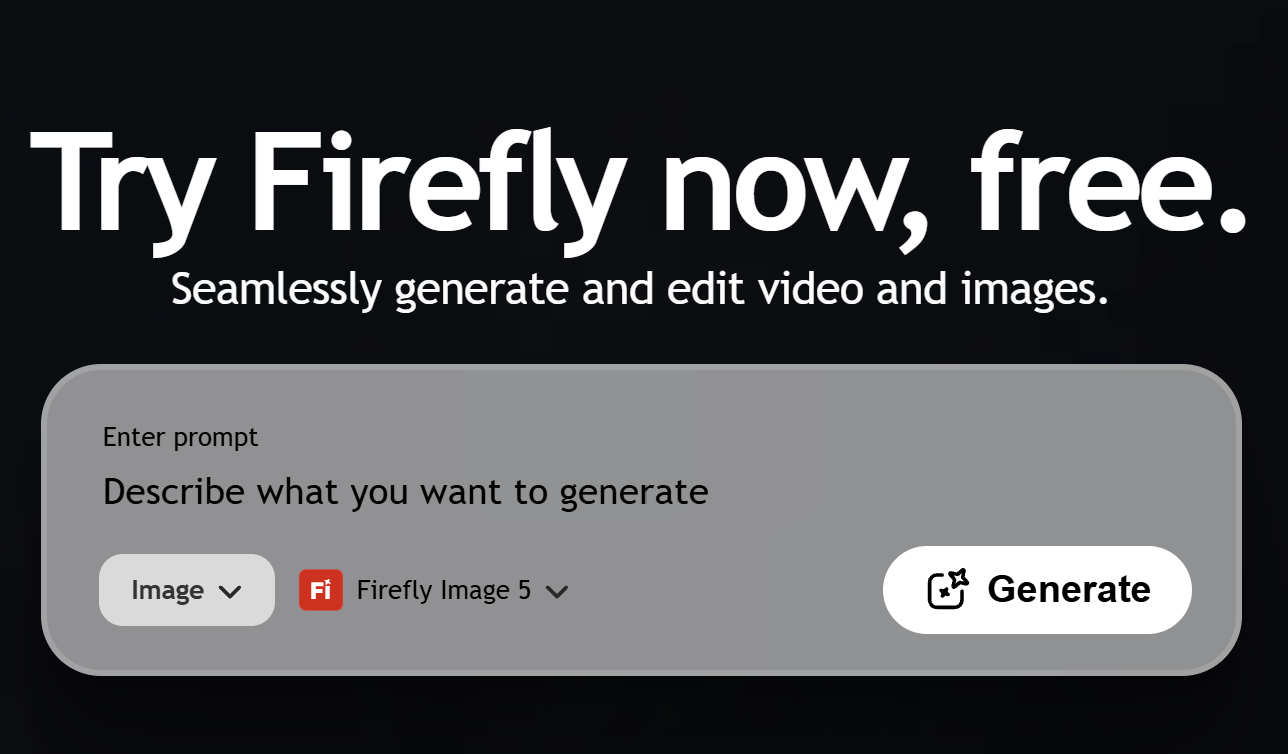
Adobe’s plans page offers free daily generations across image, video and audio, with limits that refresh every day. It does not publish how many you get . Adobe’s FAQ says outputs from its Firefly models are safe for commercial use, which is the main reason bloggers pick it. That statement does not automatically cover third-party partner models inside Firefly .
Adobe attaches Content Credentials, metadata that records an image was made with AI. A 2025 Adobe community reply said the free tier no longer adds a visible watermark .
Pros
- Clearest commercial-use position of the free tools
- Content Credentials metadata
- Works with Photoshop and Adobe Express
Cons
- Daily count not published
- Premium and partner models need paid credits
- Fewer free model choices than some rivals
Who it’s best for: Bloggers running ads or affiliate links who want the lowest licensing worry.
5. Microsoft Copilot (Image Creator)
- Best for: High volume and quick drafts
- Price: Free with a Microsoft account. Copilot Pro adds more boosts
- Devices: Web, Windows, Edge, Android, iOS
Microsoft’s Image Creator, available inside Copilot, Designer and Bing, uses “boosts.” You get a set of fast generations, and after they run out, images still generate in a slower queue. Guides disagree on the reset: some say 15 boosts a day, others 15 a week . Microsoft has also been moving toward its own MAI image models .
The licensing is the catch. Older terms limited images to personal, non-commercial use, and several current guides repeat that. Some forum threads say the terms changed, so the picture is unclear . Some guides also say free output is square-only, which matters if you need a 16:9 featured image . Read the current terms before using these images on a monetized blog.
Pros
- Keeps generating after fast boosts run out
- Free with a Microsoft account
- Good for many quick variations
Cons
- Commercial-use terms are disputed
- Slower queue after boosts
- Some guides report fixed square output
Who it’s best for: Bloggers drafting lots of ideas for personal or non-monetized projects.
6. Leonardo AI
- Best for: Illustration styles and model choice
- Price: Free. Paid plans start $13 /month , plus : $27 /month
- Devices: Web, Android, iOS
Leonardo lets you pick between several image models, style presets and an editing canvas. Its free plan gives 150 tokens a day. They reset every 24 hours and do not roll over . Tokens are not images: how many pictures 150 tokens buy depends on the model and settings, and guides estimate anywhere from about 12 to 40 or more .
Two things to check. Free generations are public. Sources also disagree on ownership and commercial use on the free plan: some say commercial use is allowed under a license, while others say Leonardo keeps rights until you upgrade . Read Leonardo’s terms before using free images on a monetized blog.
Pros
- Wide choice of models and styles
- Daily allowance that resets
- Editing tools on a canvas
Cons
- Free images are public
- Token math takes practice
- Free-plan ownership and commercial terms are unclear
Who it’s best for: Bloggers who want illustrated or stylized images and are willing to learn the controls.
7. Ideogram
- Best for: Text, logos and typography
- Price: Free tier available. Plus is about $20/month, or about $15 billed annually
- Devices: Web, iOS
Ideogram is known for rendering text inside images, which makes it useful for blog headers, thumbnails and quote graphics.
Its free tier has been changing. Older documentation lists 10 slow credits a week. A review that read Ideogram’s pages on October 19, 2026 reported 30 credits a week for accounts that sign in with Google, Apple or Microsoft, and none for email sign-ups. A pricing tracker also noted that Ideogram’s pricing page replaced its Free column with a pay-as-you-go plan in mid-October . Check ideogram.ai/pricing before you build a workflow on it. Free images have been reported as public .
Pros
- Strong with text and typography
- Good fit for headers and quote graphics
- No card needed to try
Cons
- Free plan has changed repeatedly
- Free images reported as public
- Small weekly allowance
Who it’s best for: Bloggers who put words on their images and only need a few per week.
8. Perchance
- Best for: Unlimited drafts with no account
- Price: Free
- Devices: Any web browser
Perchance runs in the browser with no login. One October 2026 comparison reports no published daily cap and no watermark . That makes it a useful sketchpad: test ideas here, then finish the best one in a tool with clearer terms.
The trade-offs are quality and rights. Reports describe lower resolution and weak text rendering . Perchance also has no clear license for commercial use , so avoid it for images on a monetized blog.
Pros
- No sign-up
- No published daily cap
- Fast way to try prompt ideas
Cons
- Lower quality and weak text, according to reports
- No clear commercial license
- Quality varies by generator
Who it’s best for: Bloggers who want to experiment without limits before spending credits elsewhere.
Also worth a look: Meta AI is reported to offer free image creation in the US with a visible AI label . Developers can also run open models such as Stable Diffusion locally, which has no platform cap once set up but needs a capable graphics card .
Free vs Paid AI Image Generators
Free plans are enough for occasional blog images and drafts. Paid plans start to make sense when you need volume, private generations, clear commercial rights or faster output.
| Factor | Free | Paid | When to upgrade |
| Volume | A few to a few dozen images a day; some tools hide the number | Much higher, with a published allowance | When you publish daily or in batches |
| Model access | Often an earlier or smaller model | Newest models | When quality or editing limits slow you down |
| Watermarks | Vary by tool | Usually removed | When a mark appears on exports |
| Privacy | Some free images are public | Private generation | For client or unreleased work |
| Commercial rights | Unclear on several free plans | Usually written into the plan | When the blog earns money |
| Speed | Slower queues after limits | Priority generation | When waiting costs you time |
A practical approach: use free plans for two weeks, track how many images you actually make, and pay only for the one tool you keep coming back to.
Can You Use Free AI Images Commercially on a Blog?
If your blog runs ads, affiliate links or sells anything, treat your images as commercial use. Then check these points for every tool:
- The free plan’s terms. Some tools allow commercial use on free plans, some restrict it, and sources disagree on others. Read the vendor’s own terms, not a third-party summary.
- Public outputs. Some free tiers publish your images in a community feed.
- Watermarks and labels. A visible mark can make an image unusable as a featured image.
- People, logos and characters. Avoid prompting for real people, brands or known characters.
- Your records. Save the tool, plan, date and a link to the terms for every image you publish.
Copyright rules for AI-generated images are still unsettled in many countries, so no tool can remove all risk. This is general information, not legal advice.
How to Create a Blog Image With a Free AI Image Generator (Step by Step)
- Decide the job. Featured image, inline illustration or social graphic? The job decides the tool.
- Pick the tool. Use Canva for finished graphics, Ideogram or ChatGPT for text, Gemini for photo-style images, and Firefly when licensing matters most.
- Write a full prompt. Cover the subject, setting, style, composition, colors, any text in quotes, and the aspect ratio. Example: “A flat-lay of a laptop, notebook and coffee on a wooden desk, soft morning light, clean editorial photo style, empty space on the left for a headline, muted green and cream palette, 16:9.”
- Generate a small batch. Make three or four images, pick the best, then change one thing at a time.
- Check for errors. Look for warped hands, garbled text and accidental logos before you export.
- Resize and compress. Around 1200 pixels wide is a common target for featured images, and a WebP or well-compressed JPG keeps pages fast.
- Add alt text and a clear file name. Describe what the image shows in plain language, and mention your topic only where it fits.
- Record the details. Note the tool, plan, date and terms link in your content log.

What to Look for in a Free Text-to-Image Generator
- Reset timing. Daily resets suit regular publishing. Weekly or monthly pools run out faster.
- Text in images. Ideogram and ChatGPT are the usual picks when words must be spelled correctly.
- Aspect ratio control. Featured images are usually wide, so check that the tool does not force squares.
- Editing. Follow-up edits save credits compared with regenerating from scratch.
- Privacy. Public outputs are fine for stock-style blog art, but not for client work.
Free AI Image Generator With No Watermark or No Sign-Up: Quick Picks
- No visible watermark reported on free output: Adobe Firefly, Leonardo AI, Ideogram and Perchance. Gemini and Meta AI have been reported to add visible marks or labels .
- No account needed: Perchance. Most other tools need an account, and Meta AI works inside apps you may already use .
- No published daily cap: Perchance, and Copilot after its fast boosts run out .
Policies change often, so export one test image from the free plan and inspect it before you commit.
Verdict: Which Free AI Image Generator Should You Use?
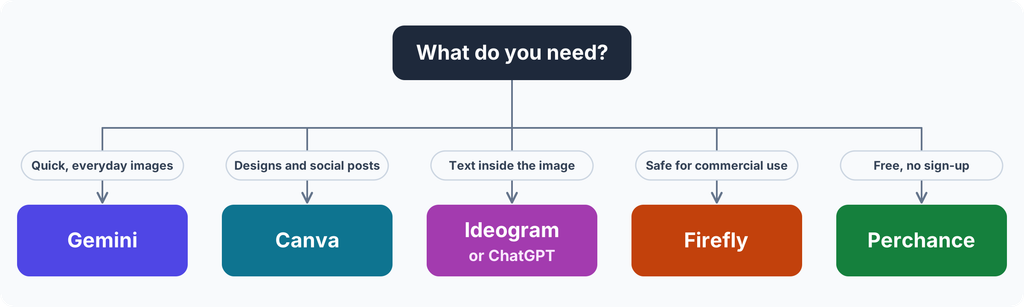
- Solo blogger: Start with Google Gemini for photo-style images. Add Canva when you want finished graphics, and Ideogram for headers with text.
- Small team or content agency: Use Adobe Firefly where licensing matters, and Canva if your team already designs there. Avoid free tiers with public outputs for client work.
- Enterprise: Free consumer plans rarely fit procurement and legal review. Look at paid business plans with written IP terms instead .
- Developer: Open models such as Stable Diffusion or FLUX run locally with no platform cap, but need a capable graphics card and setup time .
Our overall pick for most bloggers is Google Gemini, with Adobe Firefly as the safer choice for monetized blogs. Treat every free limit in this guide as a snapshot, and recheck it before you plan a content batch.
FAQ
What is the best free AI image generator for blog posts?
Google Gemini is the best starting point for most bloggers because it handles photo-style featured images and gives a practical daily allowance, though Google no longer publishes the exact count . Use Canva when you want the image placed in a ready-made layout, and Ideogram or ChatGPT when the image needs readable text.
Can I use free AI-generated images on my blog commercially?
Sometimes. A monetized blog counts as commercial use, so read each tool’s free-plan terms first. Adobe says Firefly model outputs are safe for commercial use, while some Microsoft Image Creator guides say personal use only, and sources describe Leonardo’s free terms differently .Keep a record of the tool, plan and date for every image.
Which free AI image generators have no watermark?
Reports say Adobe Firefly, Leonardo AI, Ideogram and Perchance do not add a visible watermark on free images, while Gemini and Meta AI have been reported to add visible marks or labels . Policies change often, so export one image from the free plan and check it before you build a workflow around it.
Does Google penalize AI-generated images on a blog?
Google has said its ranking systems focus on content quality and helpfulness rather than how content is produced . A generic image still will not help your post. Use images that fit the topic, add accurate alt text, compress files for speed, and avoid visuals that could mislead readers.
How many free AI images can I generate per day?
It depends on the tool, and several no longer publish a number. Leonardo gives 150 tokens a day, Copilot uses fast boosts and then a slower queue, and Gemini, ChatGPT and Firefly describe their limits only as daily or limited . Plan around the lowest cap by drafting in one tool and finishing in another.

The comparison of free allowances is the most useful part, especially the note that ChatGPT’s daily limit is unpublished with reports ranging from 2-3 to 20+ images, and Leonardo’s 150 tokens a day do not roll over. Bloggers will appreciate seeing watermarks and commercial-use terms side by side.
Thank you for the detailed feedback! Daily limits and commercial terms can be tricky to navigate, so I’m glad the breakdown brought clarity. Appreciate you stopping by to read!
The content log could also record how many attempts produced one usable image, not just the daily allowance. That makes the comparison more useful for a recurring character or branded series, where an attractive image may still fail the consistency check.
That is a brilliant point. The usable yield is a much more practical metric than just raw daily limits, especially when you’re trying to maintain a strict visual identity. I’ll definitely start tracking the attempt-to-success ratio in future logs!